QGIS Tutoring · HamoraGIS
QGIS Tutor — Private 1:1 Lessons Online
Learn QGIS with a verified expert: from your first shapefile to PyQGIS automation, cartographic print layouts, and thesis-ready spatial analysis — at your pace, on your data.
QGIS is the world’s most popular open-source GIS, and it is the software of choice for thousands of university geography, environmental science, and urban planning programs. Yet its learning curve is real: projection systems refuse to line up, attribute joins silently fail, the Processing Toolbox hides hundreds of algorithms behind unfamiliar names, and a map that looked perfect on screen falls apart the moment you try to export it at print resolution. A good QGIS tutor turns those frustrating hours into structured, fast progress.
Our QGIS tutors have taught the software in university labs, government agencies, and private consultancies for years — several have two decades or more of daily GIS practice. In a 1:1 online session they share their screen with yours, work directly on your project data, and explain not just which button to press but why the underlying concept matters. Whether you are a student preparing your first coursework map, a researcher building a reproducible analysis, or a professional migrating from ArcGIS or MapInfo, you get a personalized curriculum instead of a generic video course.
Play Code Quest 🎮
A free mini coding adventure — 4 free levels right here, then unlock all 15 full levels with coins.
Level 1 · Program the robot! 🤖
1. Pick one command · 2. Press Run
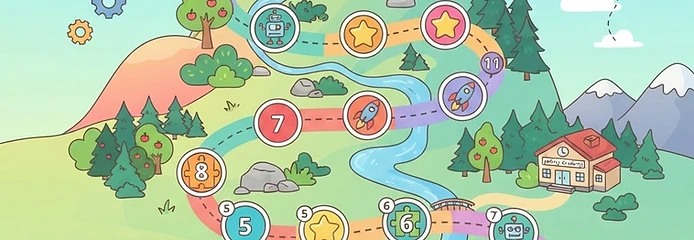
Unlock your coding quest with coins
Buying any coin pack below unlocks the full 15-level Code Quest in a new window. Log in first, then grab a pack!
What our QGIS tutoring covers
Every lesson is tailored to your level and your actual project — you work on your own data with your tutor by your side.
Getting started and project setup
Installing QGIS, organizing projects, loading shapefiles, GeoPackages, CSVs, and WMS/WFS web services correctly the first time.
Coordinate reference systems
Understanding EPSG codes, reprojection, on-the-fly display, and why your layers drift apart — the number-one beginner stumbling block.
Styling and cartography
Symbology, graduated and categorized renderers, rule-based styling, labeling, and designing maps that actually communicate your findings.
Attribute tables and joins
Field calculator expressions, attribute and spatial joins, one-to-many relations, and cleaning messy attribute data.
Spatial analysis
Buffers, clips, dissolves, intersects, overlays, nearest-neighbor and raster analysis through the Processing Toolbox and Graphical Modeler.
PyQGIS and automation
Writing Python scripts in the console, automating repetitive processing, and building your own plugins and custom tools.
Print layouts and reporting
Composer layouts, scale bars, legends, multi-map atlases, and exporting publication-quality figures for theses and reports.
Plugins and ecosystems
QuickMapServices, SAGA, GRASS integration, and picking the right plugin for routing, interpolation, or network analysis.
Databases with QGIS
Connecting QGIS to PostgreSQL/PostGIS and editing spatial data live from a shared enterprise database.
Exam and coursework prep
Structured revision for GIS exams and guided practice so you can complete labs independently, not just once with help.
QGIS Tutor, Assignment Help & Project Support
All the ways students use HamoraGIS for qgis — pick the one that matches your situation.
QGIS Tutor
Every qgis tutor on HamoraGIS is a real practitioner, manually verified by our team before their profile goes live. Sessions are private and 1:1, starting at $15/hr, and you meet in a live screen-sharing room rather than trading messages for days. That format works for everything from getting started and project setup to coordinate reference systems — you show the tutor where you are stuck, they walk through it with you, and the fix and the reasoning arrive together. If the first tutor is not the right fit, you can switch at any time; you are never locked into one person.
Online QGIS Tutor
An online qgis tutor removes the two biggest barriers to getting help: distance and schedule. Our tutors work from every major time zone, so an evening in Toronto is a morning in Sydney — there is always someone awake and available, including for urgent deadlines. Sessions run in your browser with shared screens, a chat, and your own files open on both sides. Nothing is recorded into a generic course: the tutor adapts each session to your level, your software version, and the exact task in front of you, whether that is coursework, a work project, or interview prep.
QGIS Assignment Help
QGIS assignment help is the most requested service on the platform, and it works differently from the essay-mill sites you may have seen. The tutor works through the assignment with you — on your files, in your environment — so the submitted work is genuinely yours and you can explain every step if your instructor asks. Coverage includes styling and cartography, attribute tables and joins, and everything on a typical course rubric. Payments are held in escrow until the session is delivered, deadlines of 24–48 hours are routinely met, and students regularly return once they see how much faster the second assignment goes.
QGIS Project Help
Project help goes beyond single assignments: capstone projects, thesis chapters, research analyses, and professional deliverables that unfold over weeks. A qgis tutor can help you scope the work, plan milestones, build the early steps with you, and then review each stage as you take ownership. You and the tutor keep a project chat for follow-up questions between sessions, files stay attached to the project thread, and payments release in stages through escrow. This is the format senior tutors use for longer engagements, and it is how a one-off rescue turns into a finished, defensible project.
Learn QGIS Online
If you would rather learn qgis properly than solve one problem at a time, structured online learning works the same way. Start with a placement-style first session where the tutor maps your current level and the topics you are missing, then build a sequence — fundamentals first, then applied work on data and tasks that interest you. Many students mix 1:1 sessions with group classes to reduce cost, and practice between sessions in the software itself, which is what actually builds fluency. Tutors teach the way they work professionally: real data, real errors, and the habits that prevent them.
Real QGIS projects our tutors have coached
Here is the kind of hands-on work students bring to our tutors every week.
Land-use zoning map for a planning course
A student had joined a municipal zoning shapefile to a parcel table, but half the rows showed NULL. In one session the tutor diagnosed a mismatched join field, rebuilt the join with a unique parcel ID, and walked through creating a categorized zoning symbology with a clean legend — the map went from broken to submission-ready in 90 minutes.
Watershed buffer analysis for environmental science
A graduate student needed to identify all waterways within 100 m of agricultural land for a nutrient-runoff study. The tutor scripted the buffer, intersect, and dissolve steps in the Graphical Modeler, then helped write the methodology section so the workflow was reproducible — and reusable for the student’s next four study areas.
Thesis map series with an atlas
A master’s student was manually exporting 32 maps, one per district. The tutor set up a QGIS atlas with a coverage layer and scale-locked layouts, so every map regenerated automatically when the data updated. What used to take a full day now refreshed in minutes.
How it works
Post your project or question
Describe your coursework, thesis, or work task, attach your data or files, and set your budget. Posting is quick and there is no obligation.
Get matched with a specialist
Verified tutors with years of hands-on experience in your exact software respond with a plan. Chat with them before you hire anyone.
Meet online and learn by doing
Work together in a live 1:1 session or group class. Payments are held in escrow, so you only release funds once you are satisfied.
Meet QGIS tutors
All tutors are manually verified by our team. Book a session or chat first — the choice is yours.
Antoaneta Mihaila
AutocadMap, QGIS, FME, R programming MapInfo, ArcGIS
Merhabene hamza
GIS professional with 5+ years of experience in GIS and geospatial projects. Skilled in ArcGIS Pro, ArcGIS Online, QGIS, FME, Python, spatial analysis, GIS databases, cartography, Web GIS, LiDAR, photogrammetry, and BIM/3D workflows. I can help students with GIS projects, data processing, geoprocessing, coordinate systems, spatial analysis, map creation, troubleshooting, and academic projects from data preparation to final results. Portfolio: https://hamza-merhabene-portfolio.vercel.app/
Hadis Alinia
GIS Tutoring Summary Experienced GIS professional with 15+ years of expertise in spatial analysis, geospatial data management, remote sensing, and mapping applications. Proficient in ArcGIS, QGIS, MapInfo, FME, Oracle Spatial, web mapping, and GIS automation using Python. Experienced in teaching students and professionals how to perform spatial analysis, create maps, automate GIS workflows, and apply GIS solutions to real-world engineering, telecommunications, and infrastructure projects. Big Data & Data Science Tutoring Summary Principal Data Scientist with 10+ years of experience in machine learning, artificial intelligence, predictive analytics, and big data platforms. Expert in Python, SQL, Databricks, Apache Spark, Azure, cloud analytics, and large-scale data processing. Experienced in mentoring professionals and students in data science, machine learning, deep learning, statistical modeling, MLOps, and end-to-end analytics solutions, with practical applications in telecommunications, network optimization, and business intelligence.
What students say
Very knowledgeable and patient. Highly recommended for QGIS work.
— Sara
Professional and thorough. My ArcGIS project came out perfect.
— Nadia
Reliable expert. Explained FME transformations step by step.
— Leila
QGIS tutoring where you are
Our tutors teach QGIS online to students and professionals across Canada — including Toronto, Ottawa, Vancouver, Montreal, and Calgary — where QGIS is widely used alongside municipal open-data portals, and to learners in the United States, the United Kingdom, Australia, and beyond. Sessions are scheduled in your time zone, so an evening class in Toronto is a morning class in London or a lunchtime session in Sydney.
Because everything runs in a shared online session, location never limits what we can do: your tutor can open the same project file, inspect your data on their machine, and demonstrate each step live. If your course uses local datasets — a provincial or state open-data catalogue, a national census file, or a city imagery service — your tutor will work with exactly those, not generic sample data.
Frequently asked questions
Ready to get unstuck?
Post your project today — verified QGIS experts are online in every time zone.
Request a TutorMore on HamoraGIS